What is Latency and Bandwidth and Why It Matters?
What Is Latency vs Bandwidth Buffering videos, laggy video calls, and frustrating game delays — these are symptoms most people blame on “slow internet.” But the root cause is almost always one of two things: not enough bandwidth or too much latency. These are two completely different problems that require completely different solutions.
This guide breaks down latency vs bandwidth in plain language, explains when each one matters, and gives you practical steps to fix whichever is holding your connection back.
Network speed is two things, not just one.
Most internet plans are marketed around a single number: download speed in megabits per second (Mbps). That number tells you part of the story, but it leaves out something equally important — how quickly your network responds.
True network performance depends on both capacity (how much data your connection can carry) and responsiveness (how fast data actually travels). These are bandwidth and latency respectively, and they behave very differently.
What Is Bandwidth?
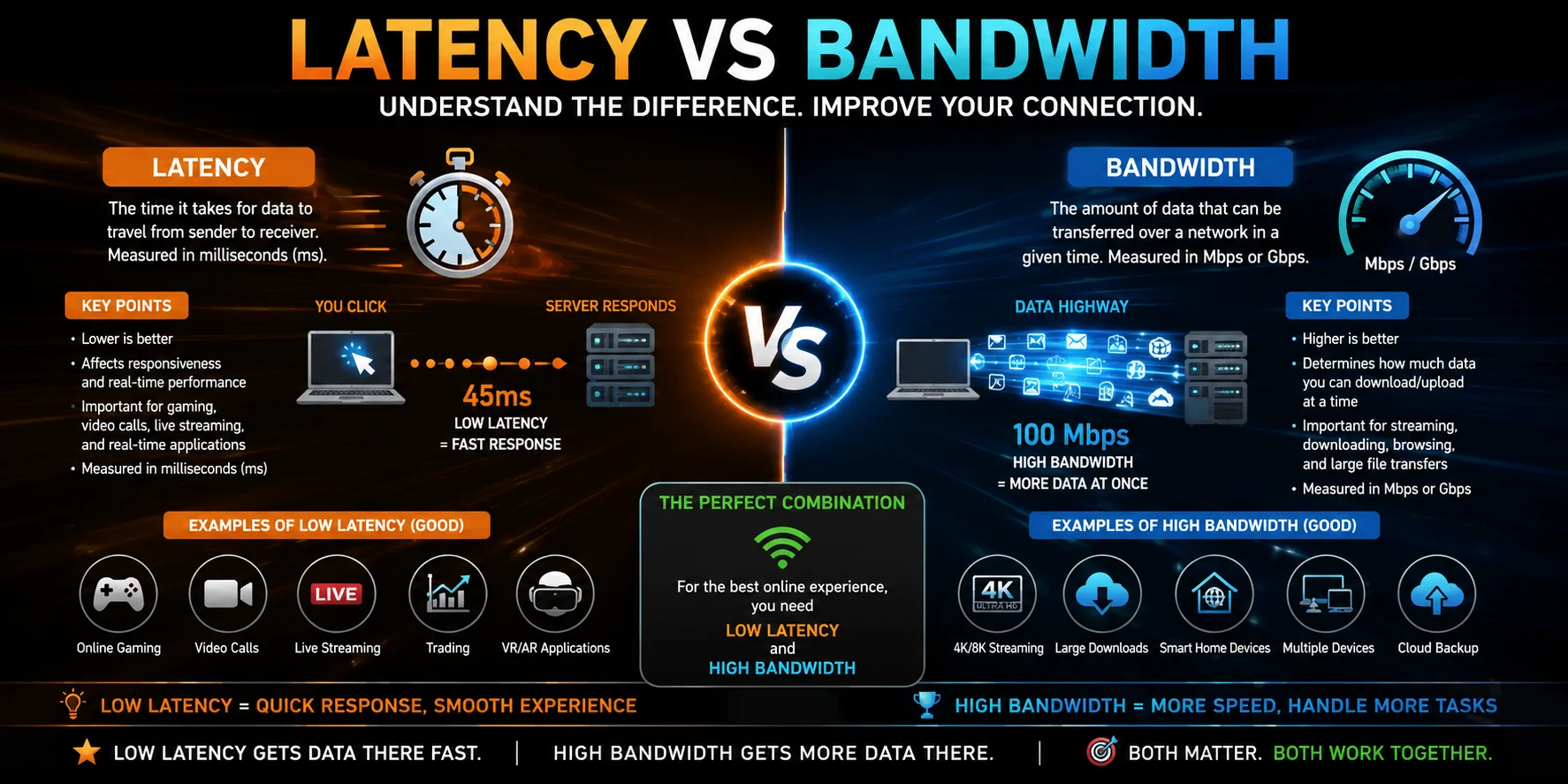
Bandwidth is the maximum volume of data your internet connection can transfer at any given moment. It is measured in megabits per second (Mbps) or gigabits per second (Gbps).
A useful mental image: think of your internet connection as a water pipe. What Is Latency vs Bandwidth diameter of that pipe. More water can flow simultaneously through a bigger pipe. Similar to this, a greater bandwidth connection allows more data to flow at once, resulting in quicker downloads, more fluid 4K streaming, and fewer slowdowns when several devices are connected.
Bandwidth matters most when:
- Downloading large files or software updates
- Streaming high-definition or 4K video
- Multiple users or devices share the same connection
- Uploading content to cloud storage or video platforms
When bandwidth is the bottleneck, everything feels slow during peak hours, and adding more devices to the network makes things worse.
What Is Latency?
The time it takes for a data packet to leave your device, travel to a server, and then return is measured as latency. This round-trip time is recorded in milliseconds (ms) and is often referred to as ping.
Lower latency means your connection is more responsive. Higher latency creates that frustrating sense of delay between an action and its result — the half-second pause before a webpage loads, the echo on a voice call, or the split-second lag that costs you a kill in a competitive game.
Unlike bandwidth, latency is not about volume. It is purely about time. A connection can have enormous bandwidth and still have terrible latency, and vice versa.
Latency matters most when:
- Playing online multiplayer games
- Making video or voice calls
- Using remote desktop or cloud-based applications
- Trading stocks or using real-time financial tools
Latency vs Bandwidth: The Core Difference at a Glance
| Bandwidth | Latency | |
| What it measures | Data capacity per second | Round-trip travel time |
| Unit | Mbps / Gbps | Milliseconds (ms) |
| Analogy | Width of a highway | Time to drive from A to B |
| Affects | Download and upload volume | Responsiveness and delay |
| Goal | Higher is better | Lower is better |
| Common term | Internet speed / throughput | Ping |
The Highway Analogy (But Better)
Imagine a motorway connecting two cities. The number of lanes is your bandwidth — more lanes mean more vehicles can travel simultaneously. The time it takes a single car to complete the journey is your latency.
You could have a 12-lane motorway (enormous bandwidth) that still takes four hours to drive end-to-end (high latency). Alternatively, a narrow two-lane road might get you there in 20 minutes (low latency) but can only handle a handful of cars at once (low bandwidth).
The ideal connection offers both: wide lanes and a short journey.
When Each One Actually Matters
High Bandwidth = Better for Heavy Data Tasks
If your household streams 4K content, participates in video calls, and has smart home devices all running at once, bandwidth is your priority. When capacity is limited, all those data streams compete for the same pipe — and everyone gets a degraded experience.
Upgrading your internet plan or switching to a fibre connection increases the pipe’s width without necessarily changing how fast data travels.
Low Latency = Better for Real-Time Activities
Gaming is the clearest example. A first-person shooter sends and receives tiny packets of data dozens of times per second. Even 80ms of latency can mean the difference between a headshot and a missed frame. Competitive players aim for under 20ms.
Video conferencing has similar demands. When audio and video packets arrive late or out of order, you get the robotic voices, frozen frames, and awkward pauses that make remote meetings unbearable.
Buying a faster plan will not fix these issues if latency is the real problem.
A Real-World Example: Satellite Internet
Satellite internet perfectly illustrates how latency and bandwidth can exist independently. A geostationary satellite connection can offer substantial bandwidth — more than enough to stream HD video. But that signal must travel roughly 35,000 kilometres into space and back for every single request. The result is latency often exceeding 600ms, regardless of how much bandwidth is available.
This is why satellite internet, despite improving, remains poorly suited to gaming or real-time communication — even when download speeds look impressive on paper.
How to Test Both Metrics Right Now
Before making any changes, establish a baseline for your connection.
To test bandwidth: Visit Speedtest by Ookla or Fast.com. These tools measure your upload and download speeds in Mbps.
To test latency: Open your command prompt (Windows) or Terminal (Mac/Linux) and type:
ping google.com
The response time shown in milliseconds is your latency. Run the test a few times and average the results for accuracy. You can also find your ping displayed during a Speedtest.
What to look for:
- Bandwidth below what your plan promises → Contact your ISP
- Latency above 100ms for general use or above 40ms for gaming → Focus on latency fixes
How to Reduce Latency (Lower Your Ping)
These steps target responsiveness, not volume:
- Switch to a wired Ethernet connection. Wi-Fi introduces variability. A direct cable connection is the single most effective latency fix for most users.
- Restart your router. Over time, routers accumulate stale routing tables and memory clutter. A fresh reboot clears the queue.
- Close background applications. Anything using the network — software updates, cloud backups, streaming — adds congestion and increases delay.
- Choose nearby servers. In games, always select the server region closest to your physical location.
- Enable Quality of Service (QoS). Most modern routers let you prioritise traffic types, such as gaming or video calls, over lower-priority downloads.
- Upgrade your router. Budget routers introduce their own processing delay. A Wi-Fi 6 router with QoS support can noticeably reduce ping even on the same ISP plan.
How to Increase Bandwidth (More Capacity)
These steps address volume, not speed of delivery:
- Upgrade your internet plan. If multiple users are consistently saturating your connection, a higher-tier plan is the straightforward solution.
- Upgrade to a fibre connection. Fibre-optic broadband transmits data as light, offering symmetrical upload and download speeds with significantly more headroom than cable or DSL.
- Replace older hardware. A router from 2016 cannot fully utilise a modern gigabit plan. Newer models (Wi-Fi 6/6E) extract more performance from the same connection.
- Eliminate Wi-Fi dead zones. Use a mesh network system or range extenders to ensure all areas of your home receive a strong, consistent signal.
- Disconnect unused devices. Smart TVs, old phones, and IoT devices sitting idle still consume background bandwidth. Remove them from the network if they are not in active use.
Why This Distinction Saves You Money
One of the most common — and expensive — mistakes people make is upgrading to a higher-speed internet plan to fix a lag problem. If gaming is choppy but large files download quickly, latency is the issue. Doubling your bandwidth plan will not change your ping by a single millisecond.
Diagnosing the right problem before spending money is the most practical takeaway from understanding latency vs bandwidth. Test both metrics, identify which is actually underperforming, and apply the appropriate fix.
How Modern Networks Are Changing the Picture
Fibre-optic and 5G networks are beginning to eliminate the traditional tradeoff between bandwidth and latency. Fibre connections routinely deliver multi-gigabit bandwidth with sub-10ms latency. Next-generation 5G infrastructure targets latency below 5ms for mobile users.
Low Earth Orbit (LEO) satellite services are also closing the gap — by reducing the distance signals must travel, they bring latency down to 20–40ms while retaining high bandwidth, making them genuinely viable for gaming and video calls in remote areas for the first time
Frequently Asked Questions
Is latency or bandwidth more important?
It depends on what you do online. For downloading, streaming, and general browsing, bandwidth matters more. For gaming, video calls, and real-time applications, latency is the more critical factor.
What is a good latency for home internet?
Under 50ms is acceptable for most uses. For competitive gaming, aim for under 20ms. Anything above 100ms will cause noticeable delays in real-time applications.
Does a VPN affect latency or bandwidth?
A VPN typically increases latency because data must route through an additional server before reaching its destination. The impact on bandwidth is usually minor, though some providers do cap throughput.
Why does my internet feel slow even with a fast plan?
High latency or network congestion is usually the cause. Your bandwidth may be fine, but packets are being delayed in transit — especially during peak hours or on a congested Wi-Fi network.
Can I fix high latency without upgrading my internet plan?
Yes. Using a wired Ethernet connection, enabling QoS on your router, and selecting geographically closer servers can all meaningfully reduce latency without any plan change.
Why do video calls freeze even with fast internet?
Freezing during calls is typically caused by high latency or jitter — inconsistent packet delivery times. Your bandwidth is carrying enough data, but that data is arriving unevenly or too late to reconstruct a smooth video stream.
The Bottom Line
Bandwidth and latency measure completely different things. One tells you how much data your connection can carry. The other tells you how quickly that data arrives. Understanding the difference stops you from throwing money at the wrong problem.
Test your connection, identify whether capacity or responsiveness is the real issue, and apply the right fix. A faster, more reliable internet experience is usually one targeted adjustment away.